

Make the portal easy to find on your mobile device …
Navigate to the portal log in screen from your mobile device.
Then follow the instructions based on your type of device.
Smith & Sons Fuels may provide links to third-party information for general informational purposes only.
For additional assistance with your particular device, please reach out to the manufacturer
Setting Up Your Portal Access
Once you have established a delivery account with us you can then request access into the online portal.
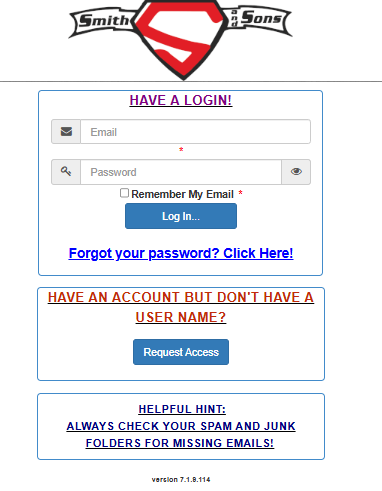
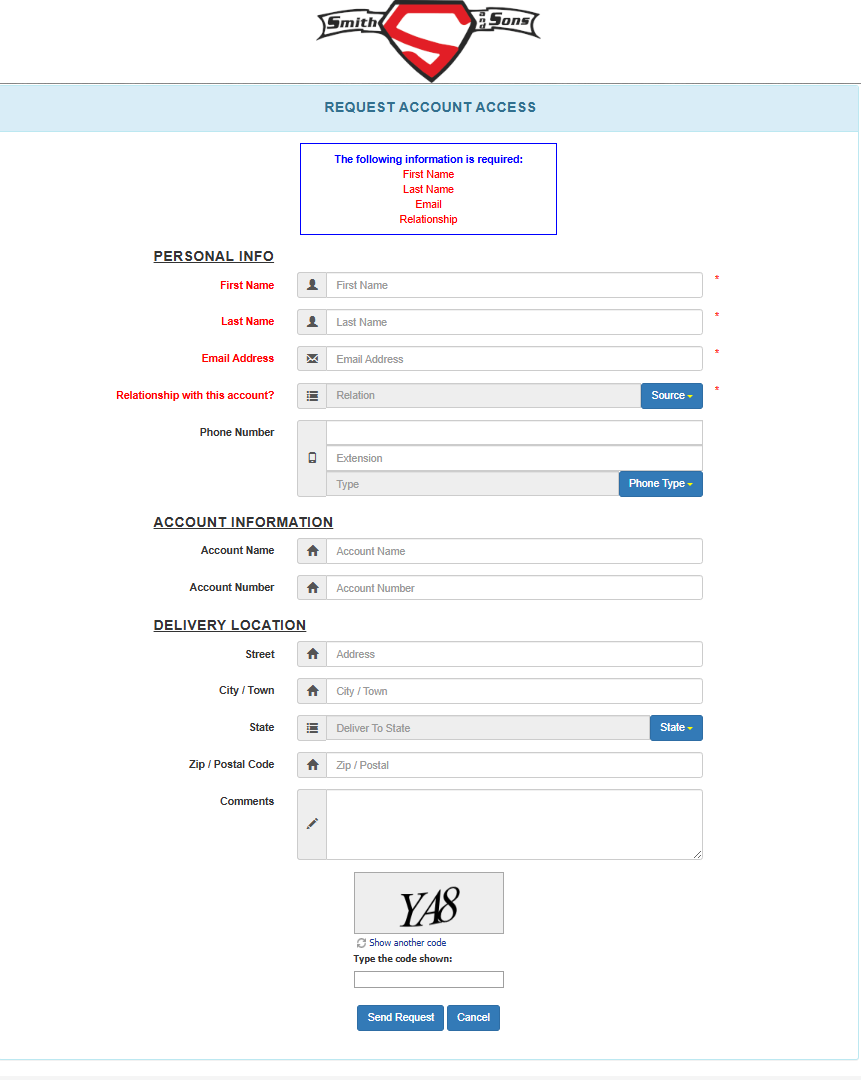
Complete all the fields and send request.
The more accurate information you are able to provide the sooner your access will be granted.
Most requests made during business hours will be processed within 24 hours
If you request access outside of normal business hours the expected wait time until you receive your welcome email will be 72 hours.
After your access request has been granted you will receive a welcome email prompting you to change your password.
Your account number is located on your meter ticket. Or you call the office or submit a request for the information below.
Making a Payment
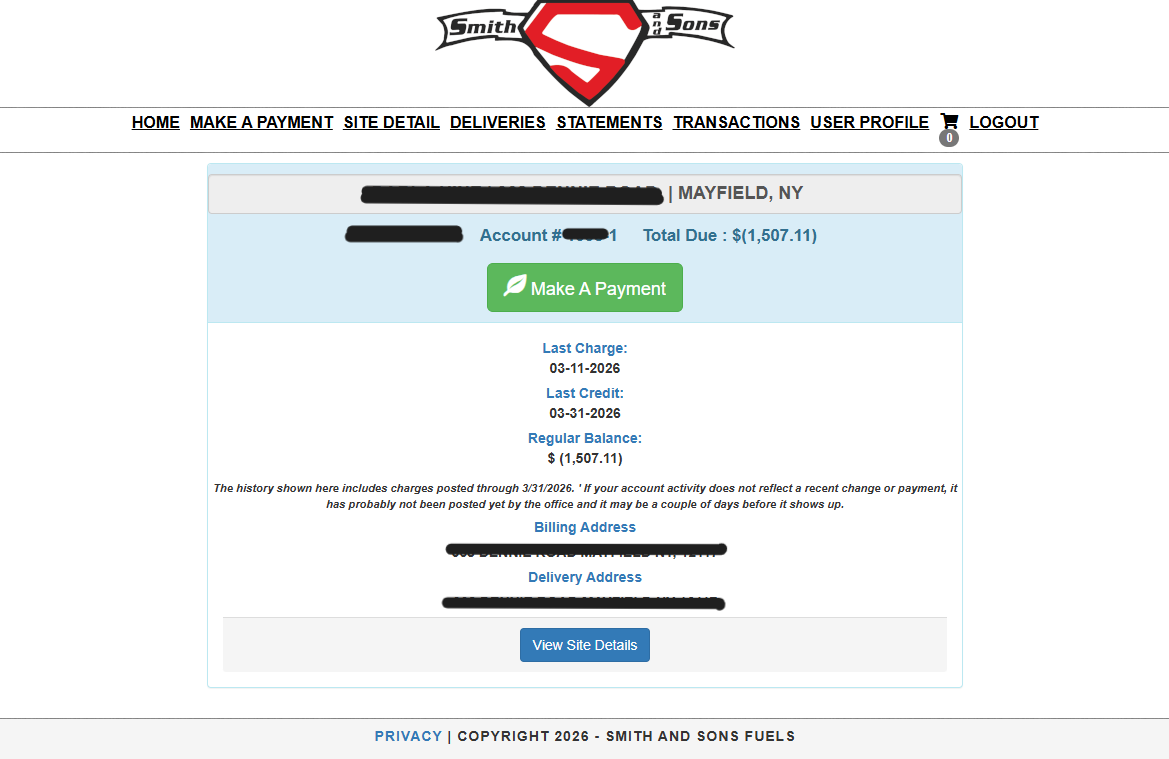
Once you have portal access you will login with the email address and password used to set up the account.
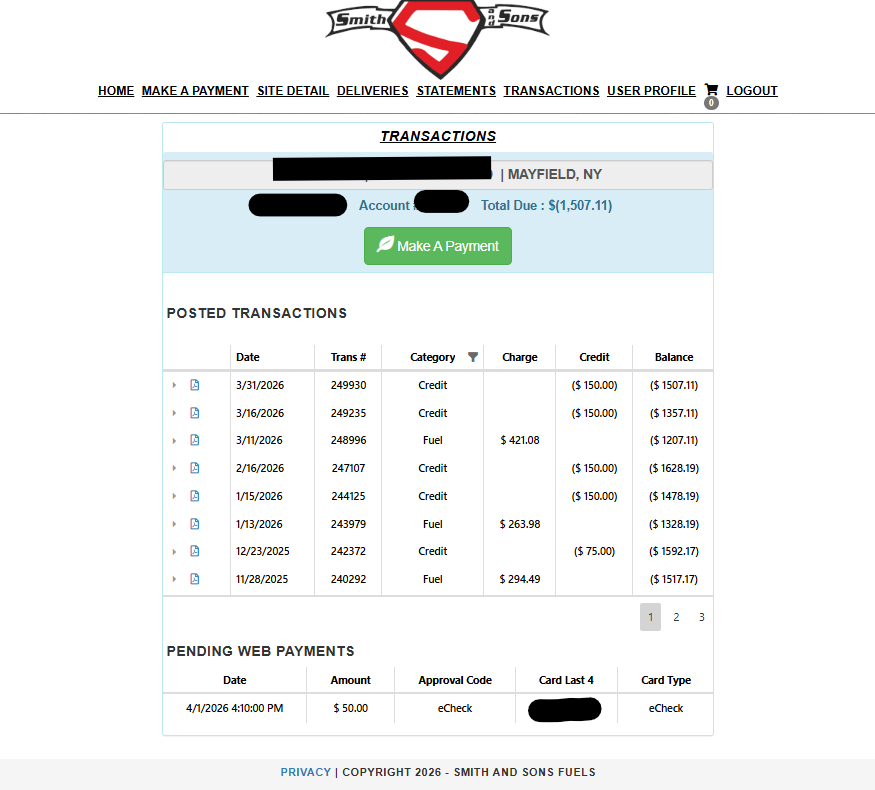
Your main home page will appear with the navigation bar at the top … where you can select to make a payment, view site detail, deliveries, statements, past transactions and your user profile.
You will see the total due on your home screen (in the example shown the customer prepay’s on their account and has built a credit which is shown in parenthesis. If you owe a balance the total will appear NOT in parenthesis.
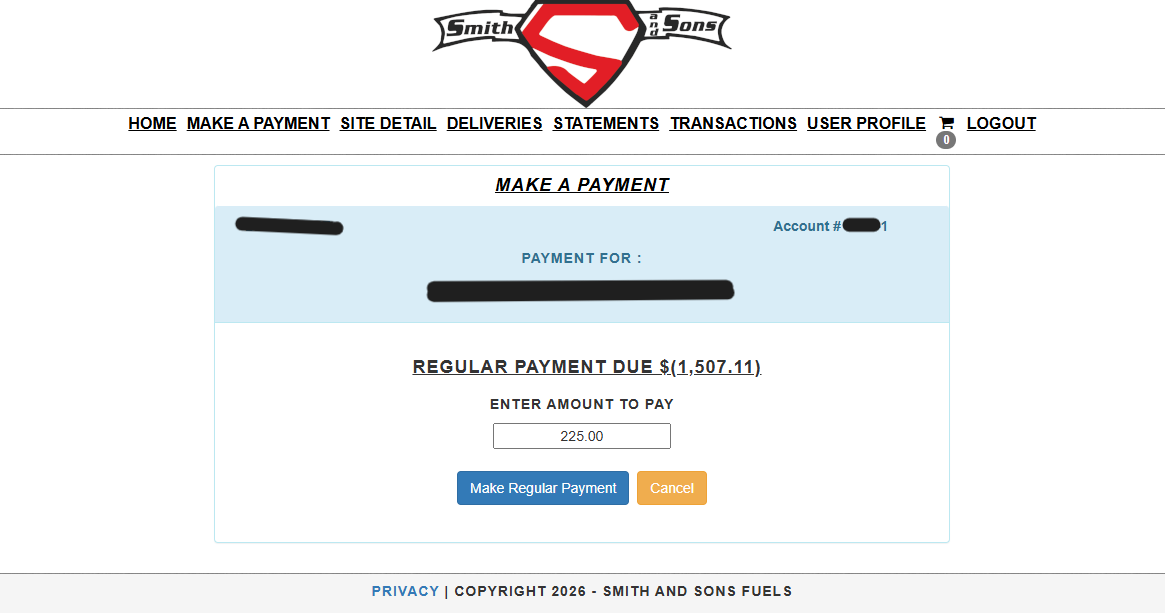
Select make a payment (located on the home page or the make a payment page)
Enter the amount to pay and click make regular payment
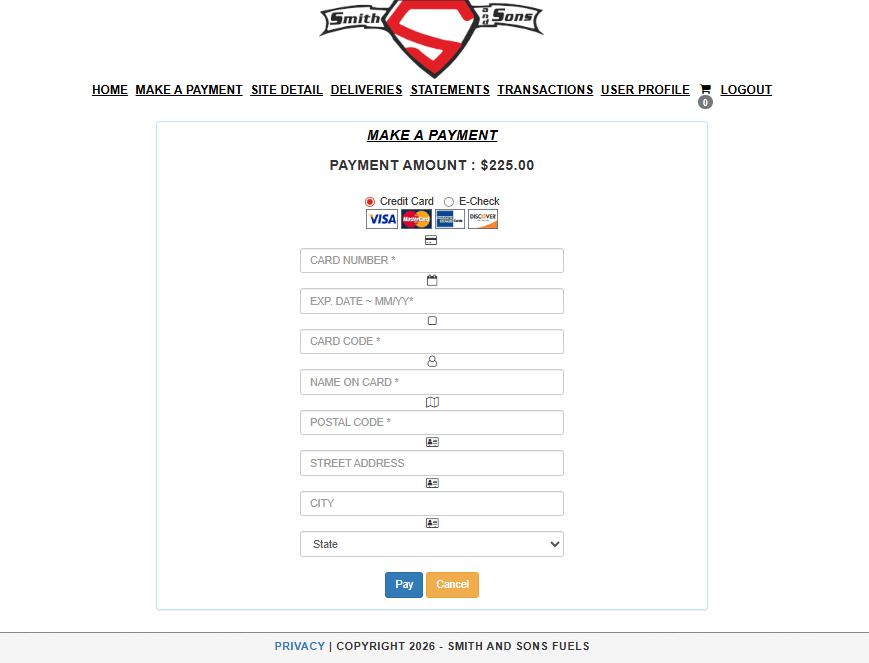
On the next screen you can select to pay by credit card or E-Check (ACH) and then enter the applicable account details.
Hit the Pay button and confirm he amount in the small pop-up box.
After confirming you will be directed to your payment receipt, detailing the transaction. Please allow 24 hours for your transaction to post to your account.
You can locate the posted and pending transactions by selecting the Transaction screen at the top of the page.
You will also see an emailed confirmation of the payment made.